
Fully personalize your experience in Rummy Fun! Choose a player name, an avatar, and the country you'd like to represent.
IMPORTANT: Don't worry if you see a random avatar and name when you start. Our system automatically chooses them at random. You can easily customize them!
Here's how to do it:
👉 Go to the home screen, then click on the default profile picture in the top left corner.
👉 Press the “Edit” button to access your profile preview page.
👉 To change your player name, tap on the pen icon 🖊️ in the top left field.
👉 Type your name (minimum 3 characters) using the keyboard that appears.
👉 Press the “OK” button to save it.
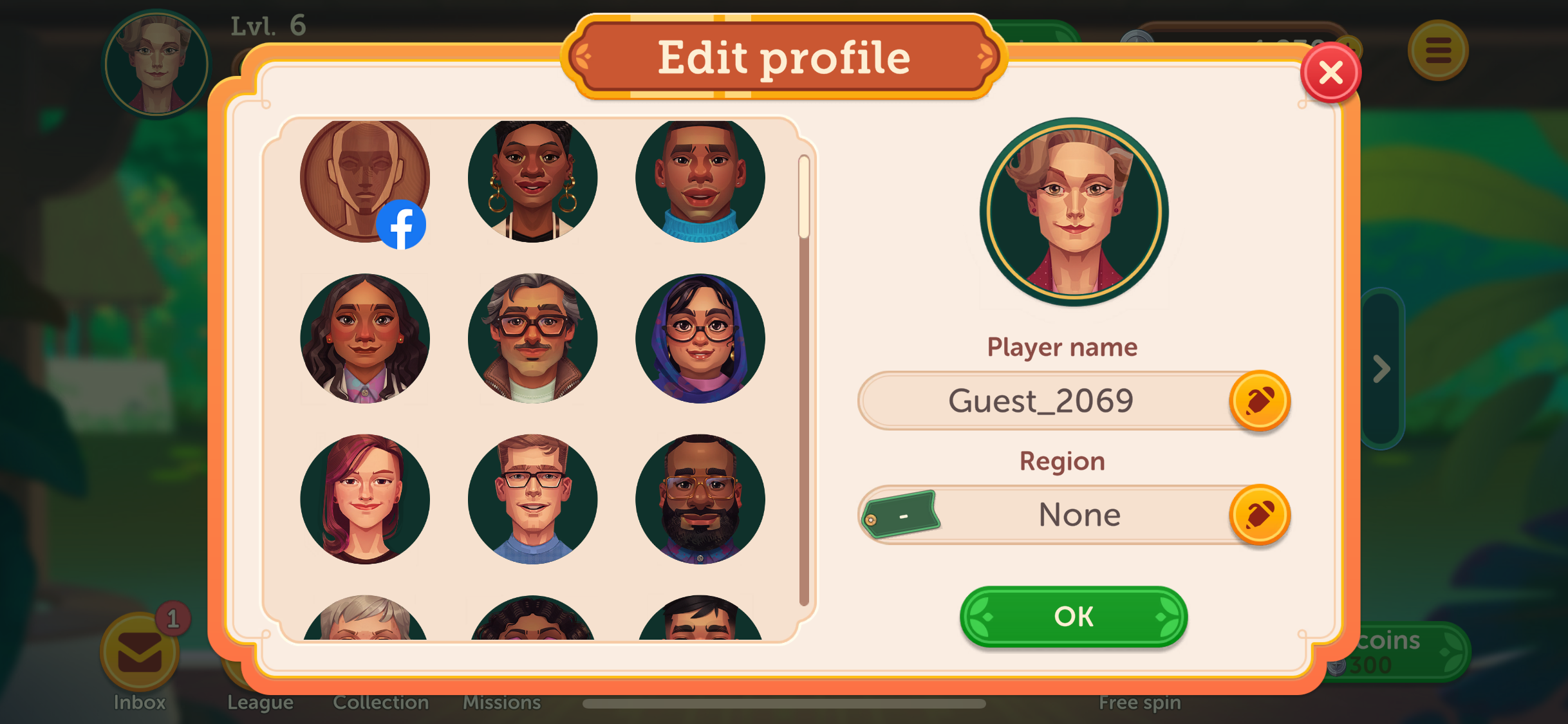
Rummy Fun strives to offer you a diverse, fair, and inclusive playing environment, representative of the diversity of our community. That's why we offer you a selection of 63 avatars:
Choose your favorite avatar by tapping it. When a golden circle appears around it, click on the green “OK” button to confirm it!
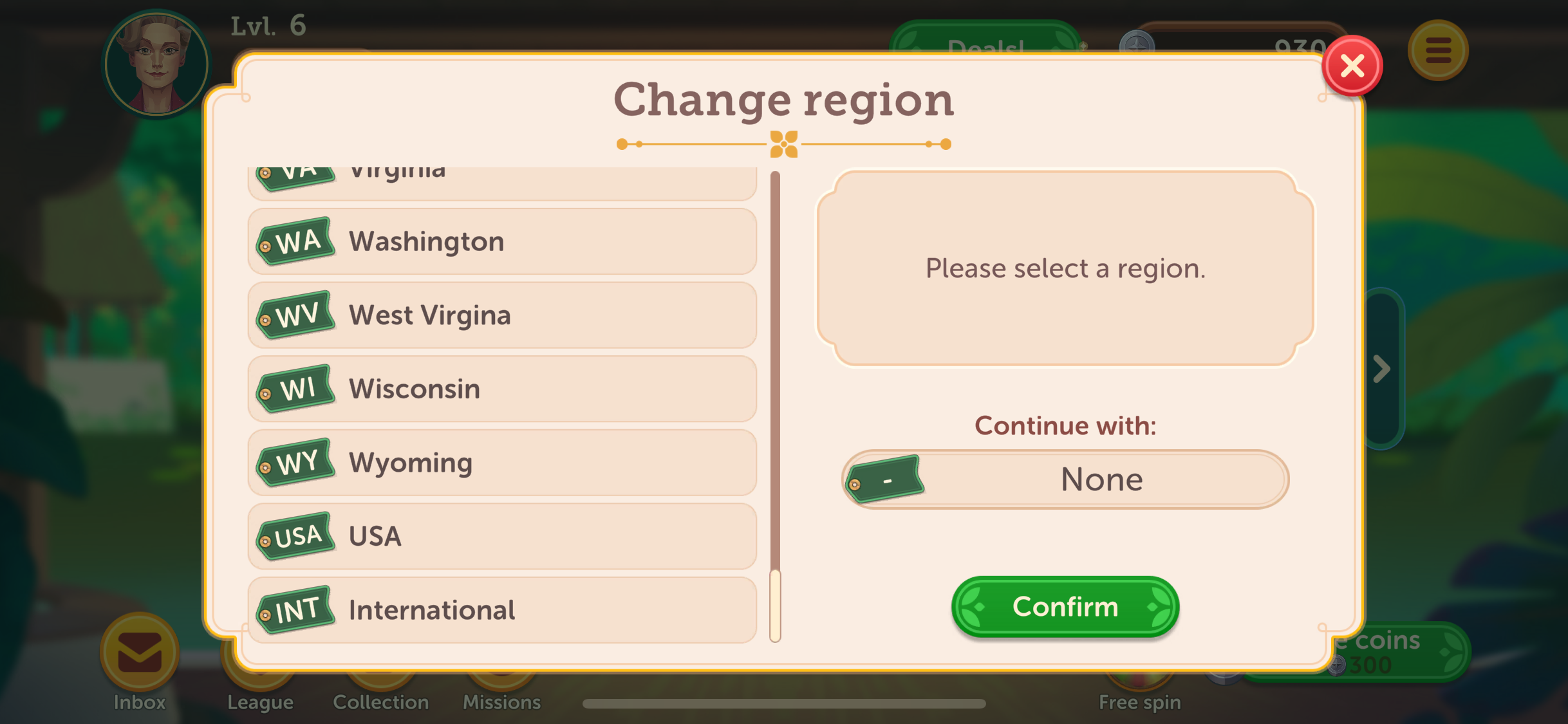
Want to show off where you're from? Select your state so your partners and opponents know where you're from! Or choose international if you're playing from abroad! You can do so to the right of the avatar selection area by tapping on the pen icon where it says "Region".
If you're connected via Facebook, you can choose one of our avatars or keep your Facebook profile photo displayed in the application. You can change it at any time by clicking on “Edit” in your player profile and selecting one of our avatars.
Now you know everything! So go ahead, personalize your profile, and get ready to play!
If you require more information, you can contact us by tapping on the speech bubble in the upper right corner.
Have fun and enjoy playing Rummy Relax!