
The activity feed is the social hub of your club, providing you not only with essential updates on your club's progress and achievements, but also good vibes and community spirit! 💓
To keep things organised and sleek, posting is handled for you by the system. The activity feed will automatically highlight the moments that truly matter for your club.
You’ll see real-time updates for:
♣️ Milestones & contributions: When a club member goes above and beyond or hits a massive points goal for the club 🏆
♣️ The season champions: A dedicated space to honour the top performers in your club this season 💪
♣️ Final rankings: Celebrating the strongest clubs of the season: the Top 3 podium finishers and the prestigious Top 10 🥇
To make sure you don't miss out, keep an eye on the Clubs icon on the home screen of the app. If you see a red notification icon, it means exciting updates are waiting for you! Simply tap on the “Activities" button in the Clubs menu to check out the latest news in your club and see who’s making waves. If no messages have been posted in the feed yet, the feature will be greyed out. You'll be able to access it as soon as the first post is made!
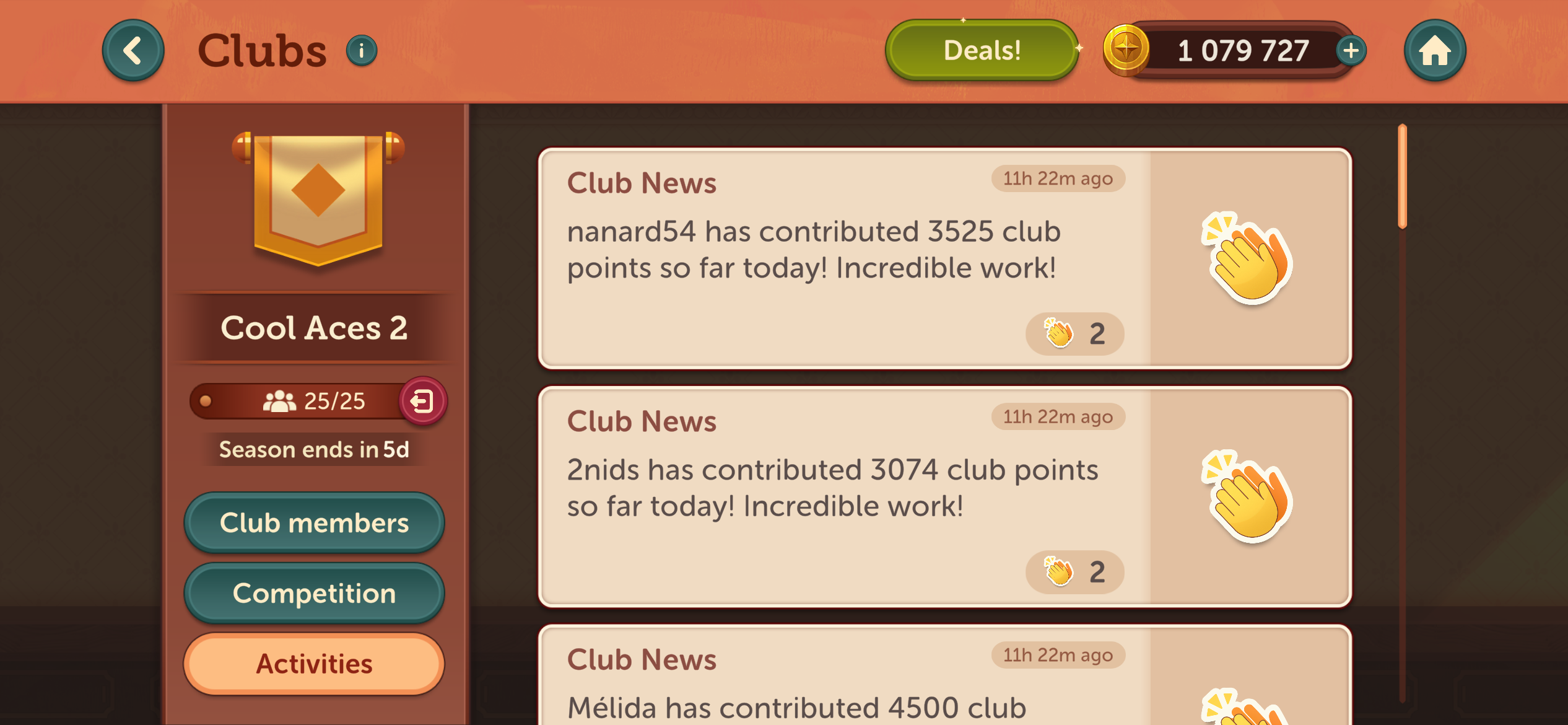
Of course, when you or a teammate achieve something incredible, you want to shout about it! In the activity feed, you can make your voice heard with reactions rather than direct messages.
Want to show some support? Tap the "Send" button next to a feed post you want to celebrate, to react with either a 🥳 or a 🚀. The choice is yours!


If you’re the star of the show and someone reacts to a post mentioning you, we’ll make sure you know it. You’ll see a notification icon along with the specific emoji used displayed on your Club icon.
Curious to see who’s cheering for you? Just tap on the message to bring up a list of all the teammates who sent some love your way.
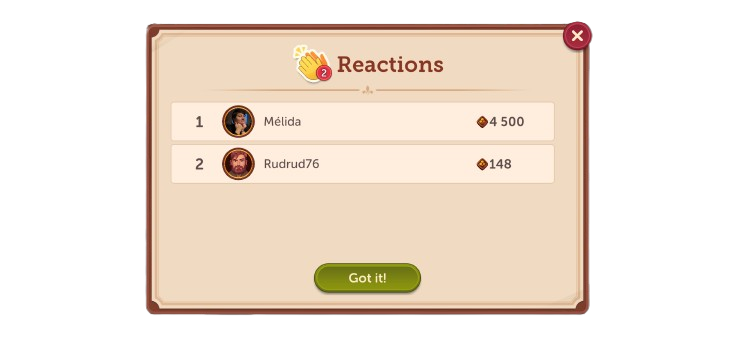
Now, go check that feed and react, celebrate, and show some team spirit! 🌟
If this FAQ wasn't quite what you needed, please click "👎 No ". You can reach out to our support team directly by tapping the speech bubble 💬 at the top or clicking " 💬 Chat with us" below.
Have fun and enjoy playing!