
Your progress bar and event banner are located on the left side of the app's main menu! 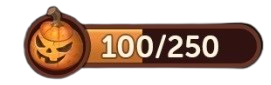
This progress bar includes between 1 and 10 milestones. Each time you complete one, you get a new reward. Once you've completed a milestone, a window appears informing you that your reward has been added to your account. The event then moves on to the next milestone, then another... and so on until you've collected all the rewards!
Important:
- Once you've reached the last milestone, your progress bar will read “Completed” and event points will no longer appear on the tables. This bar will remain visible until the official end of the event.
- You can't miss out on any rewards as you always receive them automatically!
For more details about our various features, you can browse our FAQs and, of course, if you would like more information on this topic, we invite you to contact our Customer Support by tapping on the Settings tab (with the 3 lines) at the top right of your home screen, then on Help. To open a conversation, you can either tap on the speech bubble 💬 in the top right corner or tap on ‘Chat with us’ at the bottom of the page.
Have fun and enjoy playing!